Android
- Browser: Chrome (latest version recommended)
- OS: Android 8.0 or later for best performance
- Connection: 4G/5G or stable Wi-Fi; JavaScript and cookies enabled
Everything About the App at Spinjo Casino
The full Spinjo Casino lobby – 5,000+ pokies, AUD deposits and live dealer tables from Evolution Gaming – loads instantly in your mobile browser on Android and iOS. No app store download required.
The full Spinjo Casino lobby – 5,000+ pokies, AUD deposits and live dealer tables from Evolution Gaming – loads instantly in your mobile browser on Android and iOS. No app store download required.
The full Spinjo Casino lobby – 5,000+ pokies, AUD deposits and live dealer tables from Evolution Gaming – loads instantly in your mobile browser on Android and iOS. No app store download required.
Open on Mobile 18+ only. Play can become compulsive, so wager responsibly. All bonuses are subject to their stated terms.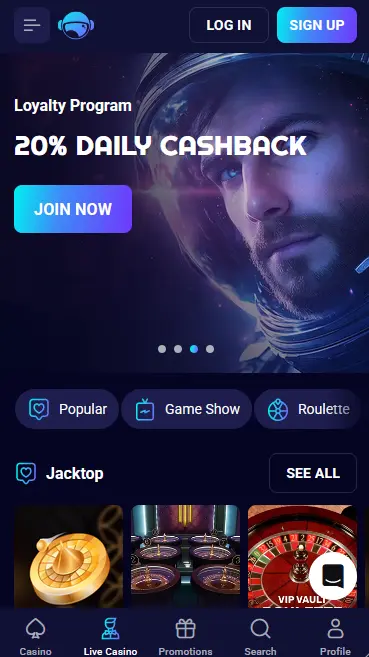
How to Set Up Spinjo on Your Device
Keep Your Mobile Account Secure
What You Should Do
What You Should Avoid
Device Requirements
Android
iOS
Spinjo Mobile – Quick Verdict
Pros
Cons
Why Play Spinjo on Mobile
Full Lobby on Any Device
Every pokie, live table and jackpot game available on desktop is accessible from the mobile browser. The layout adapts automatically to screen size and touch input.
Instant Play, No Download
The HTML5 platform loads in seconds over 4G or Wi-Fi. No APK file, no App Store search – just open the site, log in and play.
Same Security as Desktop
SSL/TLS encryption, optional 2FA via Google Authenticator, and Curaçao Gaming Control Board Licence OGL/2023/176/0095 cover every mobile session.
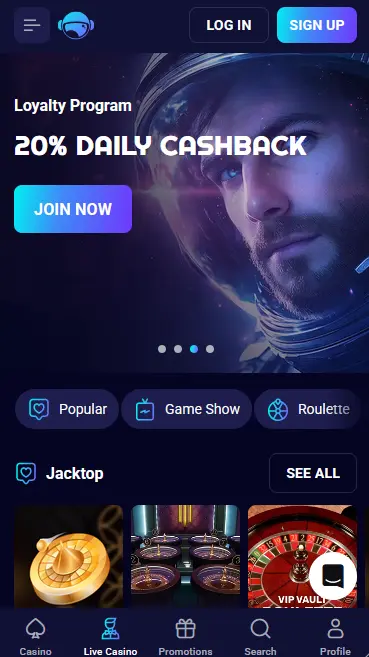
The mobile version of Spinjo carries every title from the desktop lobby without reduction. The catalogue covers more than 5,000 real-money pokies, jackpot games, live dealer tables and specialty formats, all rendered in HTML5 for smooth performance on modern smartphones and tablets.
High-volatility pokies including Gates of Olympus (Pragmatic Play, RTP 96.50%), Book of Dead (Play’n GO, RTP 96.21%) and Money Train 4 (Relax Gaming, RTP 96.00%) load and play identically on mobile as on desktop. Touch controls replace mouse clicks – spin buttons, bet-size selectors and bonus-buy options are all scaled for thumb-friendly use. Megaways titles from Big Time Gaming and Nolimit City, as well as Hold & Win games from Betsoft Gaming and Booming Games, are all available. Demo mode lets you try most pokies without real money while logged in.
Live tables from Evolution Gaming, Pragmatic Play Live and Ezugi stream in HD from professional studios via adaptive video that adjusts quality to your connection speed. Lightning Roulette, Crazy Time, live Blackjack and Speed Baccarat all perform smoothly over a reliable 4G or Wi-Fi signal. The lobby clearly labels connection quality requirements so you can choose lower-bandwidth tables if your signal is limited.
RNG versions of blackjack, roulette, baccarat and casino poker are available for players who prefer digital formats over live streaming. Jackpot pokies – including progressive titles from Pragmatic Play, Playtech and NetEnt – display their current prize pools in real time and load within seconds on mobile.
The full AUD cashier is accessible from the mobile browser, giving Australian players the same banking options as on desktop.
| Method | Min Deposit (AUD) | Min Withdrawal (AUD) | Typical Payout Time |
|---|---|---|---|
| Visa / Mastercard | $30 | $30 | 1–3 business days |
| POLi | $30 | $30 (bank transfer) | Up to 3 business days |
| Neosurf | $30 | Via bank or e-wallet | 1–3 business days |
| Skrill / Neteller | $30 | $30 | Within 24 hours |
| Bitcoin / Ethereum / USDT | Equiv. $30 | Equiv. $30 | Usually under 24 hours |
Deposits are credited to your account almost immediately regardless of the method. Withdrawal requests are reviewed within 72 hours; after approval, e-wallet and crypto payouts typically settle the same day, while card and bank transfer withdrawals take longer due to the banking institutions’ own processing schedules. Identity verification documents must be approved before the first withdrawal is released.
Every transaction on the mobile cashier is protected by the same SSL/TLS encryption applied across the full site. Hollycorn N.V. operates the payment infrastructure under Curaçao Gaming Control Board Licence OGL/2023/176/0095, which mandates anti-money-laundering compliance and secure player-fund segregation. The casino does not charge processing fees on its side, although individual payment providers may apply their own charges.
The mobile interface is a fully responsive version of the desktop site, not a stripped-down adaptation. The game lobby uses large tile cards with swipeable carousels and drop-down filters for provider, volatility, feature type and category, so navigating 5,000-plus titles on a small screen is practical. Account management (personal details, verification status, limits), the active bonus tracker, comp-point balance, the Bonus Store and all responsible gambling tools are all available from the mobile menu. Email and live chat support are also reachable directly from within the mobile browser session.
The mobile layout simplifies the navigation header and groups certain settings menus for quicker thumb access. Graphics automatically scale to screen resolution, and sound can be toggled independently from the device volume. One practical difference: live dealer video uses adaptive streaming on mobile, whereas desktop connections tend to lock to a higher bitrate by default. If a live table stream appears choppy, reducing video quality in the table settings or moving to a stronger signal usually resolves it within seconds.
New players can register entirely through the mobile browser. Tap the Sign Up button, complete the short form with your name, email address, date of birth and AUD as the account currency, then confirm via the link sent to your inbox. The process takes under two minutes. Once registered, depositing and claiming bonuses – including the welcome package worth up to $5,000 plus 300 free spins – are both possible immediately from the mobile cashier.
Returning players tap Login, enter their email address and password, and supply their 2FA code if enabled. The browser can save credentials securely for future sessions. Adding a home screen shortcut (see the installation steps above) means the casino opens directly from your home screen with active session cookies, so many returning sessions require only a 2FA confirmation rather than a full re-entry of credentials.
Spinjo Casino is a browser-based mobile platform with no native app on Google Play or the App Store. The site is optimised for any smartphone or tablet running a current operating system and a modern browser.
Chrome on Android 8.0 or later delivers the best performance, though the site functions on most Android devices from version 7.0 upward. JavaScript and cookies must be enabled in the browser settings. Battery saver modes can occasionally cause disconnects during live dealer streams, so disabling them during play is advisable.
Safari on iOS 14 or later provides the smoothest experience on iPhone and iPad. Allowing the site to store cookies enables persistent login and prevents the session from resetting when you switch apps briefly. If a game does not load, clearing Safari’s cache from Settings and reloading the page usually resolves the issue within seconds.
Open Chrome, navigate to the Spinjo Casino site, log in or register. Tap the three-dot menu in the top right of Chrome and select Add to Home Screen. Confirm the shortcut label and placement, then tap Add. The new icon appears on your Android home screen and launches the full casino lobby in one tap, just like a native app.
Open Safari on your iPhone or iPad and go to the Spinjo Casino site. Log in or create an account. Tap the Share icon (the box with an upward arrow) at the bottom of the Safari toolbar. Scroll through the options and tap Add to Home Screen. Edit the name if desired and tap Add. The shortcut icon appears on your iOS Home Screen and opens the lobby in full-screen mode without the Safari address bar.
Because Spinjo runs through the browser rather than a native app, the home screen shortcut described above is the correct installation method for both platforms. There is no APK file for Android and no TestFlight or side-loaded build for iOS. Always access the casino through the official site URL to ensure you are using the legitimate, encrypted platform.
All data between your device and Spinjo’s servers travels over TLS/SSL encryption, including login credentials, payment information and personal documents uploaded for KYC. This applies whether you are connected via 4G, 5G or home broadband.
Two-factor authentication via Google Authenticator or Authy can be enabled in the security section of your account profile. Once active, a time-based six-digit code is required at each new login, making it significantly harder for anyone who has obtained your password to access your account on a different device.
Biometric unlocking is not embedded in the Spinjo platform itself, but many players use Face ID or fingerprint unlock to protect the authenticator app on their phone, which effectively adds biometric authentication to the casino login flow. Enabling screen lock with biometrics on the device itself provides an additional barrier against unauthorised access.
All bonuses available on the desktop site are equally accessible from the mobile browser. The cashier’s Bonuses tab is visible on mobile and displays active offers, remaining wagering amounts and countdown timers in the same format as desktop. 18+ only.
New players signing up through the mobile browser can claim the full four-part welcome package: 100% up to $1,000 plus 100 free spins on the first deposit, followed by three further stages using codes SPINJO2, SPINJO3 and SPINJO4 for a combined total of up to $5,000 plus 300 free spins. The minimum deposit is $30 per stage. All free spins are credited on pokies including Book of Dead (Play’n GO) and selected BGaming titles. 40x wagering, three-day validity. See the full bonus terms and conditions before claiming. 18+.
Live chat is available 24/7 via the floating button in the lower right corner of the mobile site. Tapping it opens a chat widget that connects to a support agent after an initial automated step. For document uploads, account verification queries or less urgent matters, email the team at [email protected]. VIP members have direct access to a dedicated account manager through a separate contact route.
Deposit limits, loss limits, session limits, cooling-off periods and full self-exclusion are all accessible from the account section of the mobile browser. Tighter limits take effect immediately. The responsible gambling section in the mobile menu links to independent support organisations for players who feel their gambling is no longer under control. The minimum age to play at Spinjo is 18.
Mobile App Questions
No. Spinjo Casino operates as a browser-based mobile platform – you access the full lobby, AUD cashier and pokies from Play'n GO and Pragmatic Play directly in Chrome on Android or Safari on iPhone, with no app store download required.
Open the casino site in Chrome, tap the three-dot menu and select Add to Home Screen, then confirm the shortcut name. The icon launches the full lobby instantly without needing to open the browser first.
Yes. The full cashier and promotions section are available on mobile, so you can deposit, enter promo codes such as SPINJO2 and claim all four stages of the welcome package directly from your phone.
Play Spinjo on Your Phone Today
Grab 100% up to $5,000 and 300 free spins.
Enter Casino 18+ only. Play can become compulsive, so wager responsibly. All bonuses are subject to their stated terms.