Instant Access
Your Spinjo account opens in seconds. One set of credentials covers pokies, live casino, the AUD cashier and all active promotions.
Everything About the Login at Spinjo Casino
Access your AUD account, claim your active bonuses and jump into 5,000+ pokies from Pragmatic Play, Play'n GO and Evolution Gaming – from any device, any time.
Keep Your Account Safe
What You Should Do
What You Should Avoid
Why Signing In Is Seamless
Instant Access
Your Spinjo account opens in seconds. One set of credentials covers pokies, live casino, the AUD cashier and all active promotions.
Secure Login
SSL/TLS encryption and optional two-factor authentication via Google Authenticator or Authy protect every sign-in from desktop and mobile.
Mobile-Ready
Log in through Safari on iPhone or Chrome on Android – no app download needed. The full lobby and cashier load within your browser.
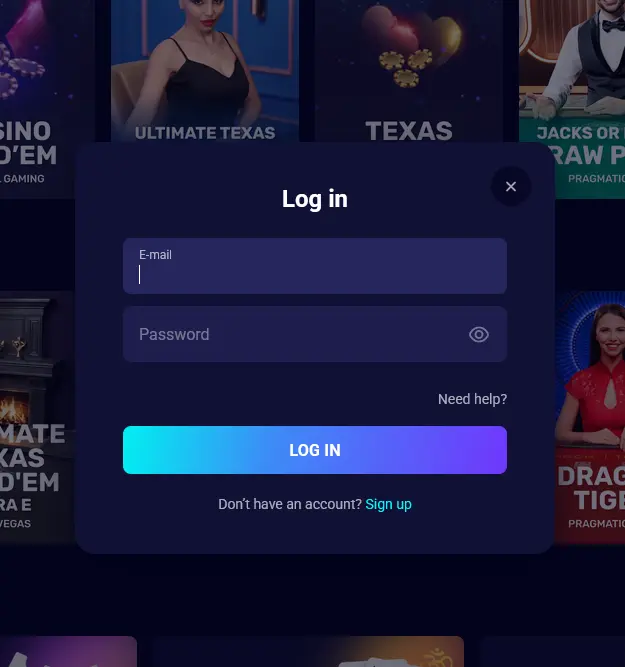
Signing in to Spinjo Casino is the same process whether you are on a laptop, tablet or smartphone. You need only the email address registered on your account and your password. If you have two-factor authentication enabled, have your authenticator app open before you begin.
Open your preferred desktop browser and navigate to the Spinjo Casino homepage. Click the Login button in the top-right corner of the page. Enter your registered email address and password in the fields provided, then click Sign In. If prompted by your authenticator app, enter the six-digit code before the window expires. You will land directly in the game lobby with your AUD balance visible.
On Android, open Chrome (or any modern browser) and load the casino site. The sign-in button sits prominently in the header of the mobile layout. Tap it, enter your credentials and confirm. On iPhone and iPad, the same flow works in Safari. Because the site is fully responsive, the login form scales to fit the screen and touch input works smoothly with no zooming required. If you have saved the site as a home screen shortcut, tapping that icon opens the lobby directly with your session cookies intact.
Spinjo does not have a native app listed on the App Store or Google Play. The mobile experience runs entirely through the browser-based platform. To set up a one-tap icon that behaves like an app, visit the app setup guide for step-by-step instructions for both Android and iOS.
Spinjo uses a standard email-and-password combination as the primary login method. This applies consistently across desktop, tablet and all mobile browsers. Two-factor authentication using Google Authenticator or Authy is available as an optional but strongly recommended second layer. Once 2FA is active, a six-digit time-based code is required each time you sign in from a new device or browser session. There is no social login (Google, Facebook or similar) at this time.
Most login difficulties have a straightforward fix. The table below covers the issues Australian players encounter most often.
| Problem | Likely Cause | Fix |
|---|---|---|
| ”Incorrect password” error | Caps Lock active or extra spaces in the field | Retype carefully or reset via forgotten password link |
| ”Account not found” | Wrong email address entered | Check for typos; try alternate email addresses if you registered with more than one |
| Page not loading | Browser cache or connectivity issue | Clear cache and cookies, then refresh; try a different network |
| 2FA code rejected | Phone clock out of sync | Sync device time to automatic in date/time settings |
| Account locked | Too many failed attempts | Contact support via live chat or email to unlock |
| Verification email not arrived | Spam filter or incorrect email | Check junk folder; contact [email protected] to resend |
If none of the above resolves your issue, the 24/7 live chat team is the fastest route to a solution. Have your registered email address and recent transaction details ready so agents can verify your identity quickly.
Spinjo applies SSL/TLS encryption to every page of the site, including the login form, so your credentials are transmitted in scrambled form and cannot be intercepted in transit. Under Curaçao Gaming Control Board Licence OGL/2023/176/0095, Hollycorn N.V. is required to store player data securely and follow published procedures for account access and fund handling.
On the player side, enabling two-factor authentication through Google Authenticator or Authy is the most effective way to prevent unauthorised access even if your password is compromised. You can activate 2FA in the security section of your account profile at any time. Biometric unlocking (fingerprint or Face ID) can be used to access the authenticator app itself, adding another frictionless layer to the sign-in flow on modern smartphones.
If you ever suspect that your account has been accessed without your permission, contact support immediately, change your password and consider activating self-exclusion until the situation is resolved.
New players can register directly on the Spinjo Casino homepage. The process involves entering your name, email address, date of birth and preferred currency (AUD), then confirming your email via the link sent to your inbox. Registration takes under two minutes. Once complete, you can deposit using methods such as Visa, POLi or Neosurf and claim the four-part welcome package worth up to $5,000 plus 300 free spins on featured pokies. The minimum age to register and play is 18.
Login Questions Answered
Passwords are case-sensitive, so check that Caps Lock is off and that no extra spaces were pasted in. If the problem persists, use the forgotten password link to reset your credentials via the email address registered on your account.
Yes. The full Spinjo Casino interface – including your AUD cashier, active bonuses and pokies from Pragmatic Play and Evolution Gaming – loads in Safari on iPhone and Chrome on Android through the mobile browser, with no separate download required.
Account lockouts after repeated failed attempts are a security feature. Contact the support team via 24/7 live chat or email [email protected] with your registered email and they will guide you through account recovery.
Sign In and Start Playing
Grab 100% up to $5,000 and 300 free spins.
Enter Casino 18+ only. Play can become compulsive, so wager responsibly. All bonuses are subject to their stated terms.